An Assistant That Works While You Sleep
An overnight AI assistant that processes ANY task using your local LLM. Hover over the cards to see how.
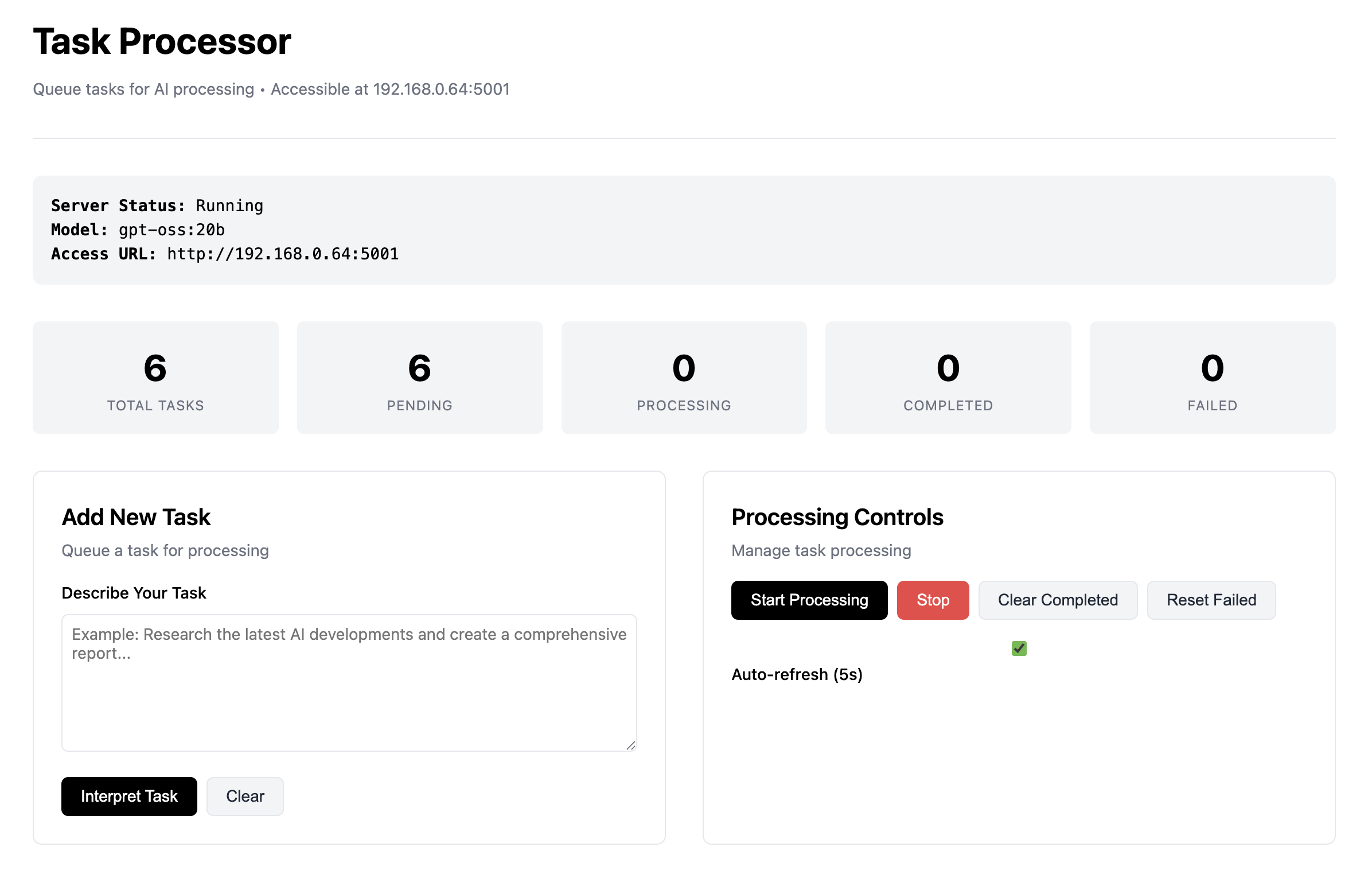
Two Interfaces, Full Control
Use the clean web interface for easy task management from any device, or the powerful CLI for automation and scripting.
Frequently Asked Questions
Got questions? We've got answers. Hover over a card to learn more.
How does the CLI work?
The CLI is for power users. You create a tasks.txt file, list all your tasks, and run python obp-CLI.py --run. The processor works through the queue overnight.
What is the GUI for?
The GUI is a web dashboard accessible on your local network. Add tasks from your phone or computer throughout the day, monitor progress, and view results visually.
Is my data private?
Yes, 100%. The system runs entirely on your local machine. Data only leaves your network if you use the optional web search feature, which only sends the search query.
What is Ollama?
Ollama is a tool that allows you to run open-source large language models, like Llama 3 or Mistral, directly on your own computer. This processor requires it to be running.
What are the system requirements?
You'll need Python 3.8+ and enough RAM/VRAM to run your chosen Ollama model. The processor itself is lightweight, but the AI models can be demanding.
How do I format tasks?
In your tasks.txt file, prefix each task with a type, like {search} or {create}. For example: {code} language=python::Create a data visualization script
All Features Included
- Unlimited Task Processing
- GUI and CLI Interfaces
- Local Network & Phone Access
- All Task Types (Search, Create, Code, etc.)
- Optional Web Search Integration
- Complete File Management System
- 100% Local and Private
Upcoming Features
The processor is constantly evolving. Here's what's next.
More AI Models
Integration with a wider range of local and remote models.
Expanded Toolset
New plugins for interacting with more APIs and local applications.
Media Batching
Batch processing for image and video generation tasks.
Video Analysis
Tools for transcribing, summarizing, and analyzing video files.
Game Asset Creation
Generate scripts, characters, and world-building assets for game development.